
Latest Posts
This blog is a personal study log, not a representation of full knowledge or mastery of any subject mentioned. It should be read as a shared notebook of annotations and reflections, without the intention of being exhaustive, systematic, or following a strict logic. The articles were generated with the assistance of generative AI / large language models (LLMs). The ideas, themes, and prompts were suggested and curated by the blog author. The AI served as a tool for writing and structuring, while the final selection of topics, examples, and interpretations reflects the author’s own perspective.
-
Understanding the SharePoint Framework Toolchain: RushStack and Heft
The SharePoint Framework (SPFx) provides a modern toolchain that integrates deeply with the open-source JavaScript ecosystem.Over time, Microsoft evolved this toolchain to improve build performance, modularity, and developer experience.Today, SPFx relies on the RushStack suite and Heft build orchestrator —… Continue reading

-
SharePoint Framework (SPFx) Compatibility and Installation Guide
The SharePoint Framework (SPFx) evolves with each release, introducing updated dependencies on Node.js (LTS versions), TypeScript, and React.To maintain compatibility and avoid environment issues, developers should always align their Node.js version and global toolchain with the specific SPFx version they… Continue reading

-
SPFx Compatibility & Install Commands
Below is a table listing key SPFx versions, their compatibility context (primarily Node.js and general toolchain), and the npm/global commands to install/upgrade them. SPFx Compatibility & Install Commands Below is a table listing key SPFx versions, their compatibility context (primarily… Continue reading

-
SPFX Versions
The SharePoint Framework (SPFx) is Microsoft’s client-side development model for modernizing and extending the SharePoint Online user experience, as well as for building customizations that span across Microsoft Teams, Viva Connections and other Microsoft 365 experiences. It was first made… Continue reading
-
SharePoint Framework (SPFx) Toolchain – Executive Summary
he SharePoint Framework (SPFx) toolchain is the foundation for building, packaging, and deploying client-side components in SharePoint Online and Microsoft 365. Through a combination of modern web technologies — Node.js, npm, Gulp, Webpack, TypeScript, and Yeoman — it transforms your… Continue reading

-
SharePoint Framework (SPFx) Toolchain – Part 4: Integration and Automation
After mastering packaging and deployment, the next step in the SPFx development journey is integrating your web parts with SharePoint Online and Microsoft 365 data. SPFx offers direct, authenticated access to SharePoint REST endpoints via SPHttpClient, and to broader Microsoft… Continue reading

-
SharePoint Framework (SPFx) Toolchain – Part 3: Packaging and Deployment
After compiling and bundling your SPFx solution (Parts 1 & 2), the final step is to package and deploy it so that users can install the web part or extension in SharePoint Online or Microsoft Teams. 📦 SharePoint Framework (SPFx)… Continue reading
-
SharePoint Framework (SPFx) Toolchain – Part 2: Inside the Build Process
In Part 1, we introduced the SPFx toolchain and its components.Now, let’s dive deep into what happens inside the build pipeline — specifically how Gulp, Webpack, and TypeScript coordinate to transform your source code into a deployable .sppkg package. Understanding… Continue reading

-
SharePoint Framework (SPFx) Toolchain – Part 2: Inside the Build Process
In Part 1, we introduced the SPFx toolchain and its components.Now, let’s dive deep into what happens inside the build pipeline — specifically how Gulp, Webpack, and TypeScript coordinate to transform your source code into a deployable .sppkg package. Understanding… Continue reading
-
SharePoint Framework (SPFx) Toolchain – Part 1: The Fundamentals
The SharePoint Framework (SPFx) is the modern development model for extending SharePoint Online and Microsoft 365 experiences.It enables developers to build client-side solutions using TypeScript, React, Node.js, and web tooling—integrated directly into the SharePoint page lifecycle. At its core, SPFx… Continue reading

-
Understanding the SharePoint Framework (SPFx) Version Lifecycle and Long-Term Support
Because SPFx integrates deeply with the Microsoft 365 ecosystem, every version has a defined lifecycle.Knowing how these versions are supported — and when they expire — helps you keep your solutions reliable, secure, and compatible with future updates of SharePoint… Continue reading

-
The Complete Compatibility Reference for SharePoint Framework (SPFx) and Node.js
Every SharePoint Framework project depends on a very specific set of tools:Node.js, TypeScript, React, and Gulp.The SPFx build system is tightly version-locked, meaning that if one part is out of sync, your project might not even compile. Knowing which combinations… Continue reading

-
How to Safely Upgrade an Existing SPFx Project to Node 22 LTS
Many SPFx developers reach a point where older projects (for example, 1.16 or 1.19) stop building after upgrading Node.js or installing new tools.This happens because every SPFx release supports only specific Node and TypeScript versions. The good news is that… Continue reading
-
Troubleshooting SharePoint Framework Build Errors After Upgrading Node.js or Packages
When you update Node.js, TypeScript, or SPFx packages, it’s common for your previously stable SharePoint Framework project to stop building.Messages appear that look cryptic at first glance — but almost all of them come down to one simple issue: version… Continue reading

-
Keeping SharePoint Framework Up to Date with Node 22 LTS
In every SharePoint Framework (SPFx) project, the file package.json defines how the entire environment works — which Node.js version is required, which SPFx libraries are installed, how React is integrated, and how Gulp builds your code. As Microsoft continuously updates… Continue reading

-
How to Safely Update Your SPFx Project When Node.js or Yeoman Changes
Updating your SharePoint Framework (SPFx) environment can be painful.Every time you upgrade Node.js or the Yeoman generator, old projects start throwing build errors, TypeScript mismatches, or Gulp crashes.This is not bad luck — it’s a version compatibility problem that affects… Continue reading
-
How to Update Your SPFx Project After Upgrading Yeoman or Node.js — Without Losing Your Mind
Here’s the full plain-text version of your article in English — rewritten from scratch with the latest 2025 information (including Node.js 22 LTS, as stated on Microsoft Learn).All examples, errors, and recommendations are now accurate for SPFx 1.20+ environments. How… Continue reading
-
Modern Authentication in SharePoint Online with MSAL and CSOM (C#)
When building console applications, Azure Functions, or desktop tools that interact with SharePoint Online, authentication is one of the most important challenges. Older approaches relied on credentials or app-only secrets, but today Microsoft recommends using Microsoft Authentication Library (MSAL) for… Continue reading
-
Understanding and Fixing “The request message is too big” in SharePoint CSOM Uploads
When migrating or uploading documents to SharePoint using the Client-Side Object Model (CSOM), you may encounter this error: The request message is too big. The server does not allow messages larger than 2,097,152 bytes. This error is common in automation,… Continue reading

-
Preserving File and Folder Metadata During SharePoint Library Migration (CSOM Approach)
Migrating document libraries between SharePoint sites is a common scenario during restructuring, modernization, or automation. However, one of the biggest challenges is preserving original metadata — specifically: By default, when uploading files or creating folders through CSOM, SharePoint automatically assigns… Continue reading
-
Understanding Yeoman and the Architecture of SharePoint Framework (SPFx)
Understanding Yeoman and the Architecture of SharePoint Framework (SPFx) Table of Contents 1. Introduction The SharePoint Framework (SPFx) is Microsoft’s modern development model for building client-side customizations in SharePoint Online and on-premises (2016–2019).It enables developers to build web parts, extensions,… Continue reading

-
Running the Migration with Progress Bar and Job Summary (Console App Example)
Excellent — here’s Section 9 of your full article, expanding it into a complete, production-style migration guide.This section shows how to run FileMigrationServiceV2 inside a console app with a progress bar, job summary, and estimated completion time. Running the Migration… Continue reading
-
Migrating SharePoint Libraries with Full Metadata, Version History, Check-In Comments, and Audit Logs (v2)
Migrating SharePoint Libraries with Full Metadata, Version History, Check-In Comments, and Audit Logs (v2) Overview In this enhanced version of the FileMigrationService, we extend the migration logic to: This version provides an auditable, production-ready migration path for complex SharePoint Online… Continue reading

-
Migrating SharePoint Document Libraries with Full Version and Metadata Preservation Using CSOM
When performing large-scale SharePoint Online migrations, one of the most challenging aspects is preserving document history, including: This article explains how to create a C# utility class that automates this process using the SharePoint Client-Side Object Model (CSOM). The sample… Continue reading
-
Fluent Video Hub — Part 4: Building a Power BI Dashboard for Video Analytics
In the previous parts, we built Fluent Video Hub, a modern SharePoint Framework web part using Fluent UI.It dynamically loads and plays .mp4 videos from SharePoint libraries, and in Part 3, it began saving view and rating events into a… Continue reading

-
Extending Fluent Video Hub: Carousel Navigation + Ratings with Fluent UI
Extending Fluent Video Hub: Carousel Navigation + Ratings with Fluent UI Overview In Part 1 we built Fluent Video Hub, a modern SPFx web part that lists and plays videos from a SharePoint document library using Fluent UI.In this follow-up,… Continue reading

-
Building Fluent Video Hub: a Modern SharePoint Video Player with Fluent UI
This article presents how to create a clean, light, and professional video player Web Part for SharePoint Online using the SharePoint Framework (SPFx) and Fluent UI React components.The result is a visually elegant player that dynamically loads .mp4 files from… Continue reading

-
How to Use Multiple Triggers in Power Automate with a Parent–Child Flow Pattern
In Power Automate, a single flow can only start from one trigger. You cannot place two different triggers (for example, “When an item is created” and “When an item is modified”) in the same flow.However, in many real scenarios —… Continue reading

-
Power BI: Converting Text Columns to Date in DAX (and Avoiding Type Conversion Errors)
Here is the same article rewritten entirely in English, in a professional, technical documentation style — with no emojis or informal language. Power BI: Converting Text Columns to Date in DAX (and Avoiding Type Conversion Errors) 1. Introduction One of… Continue reading
-
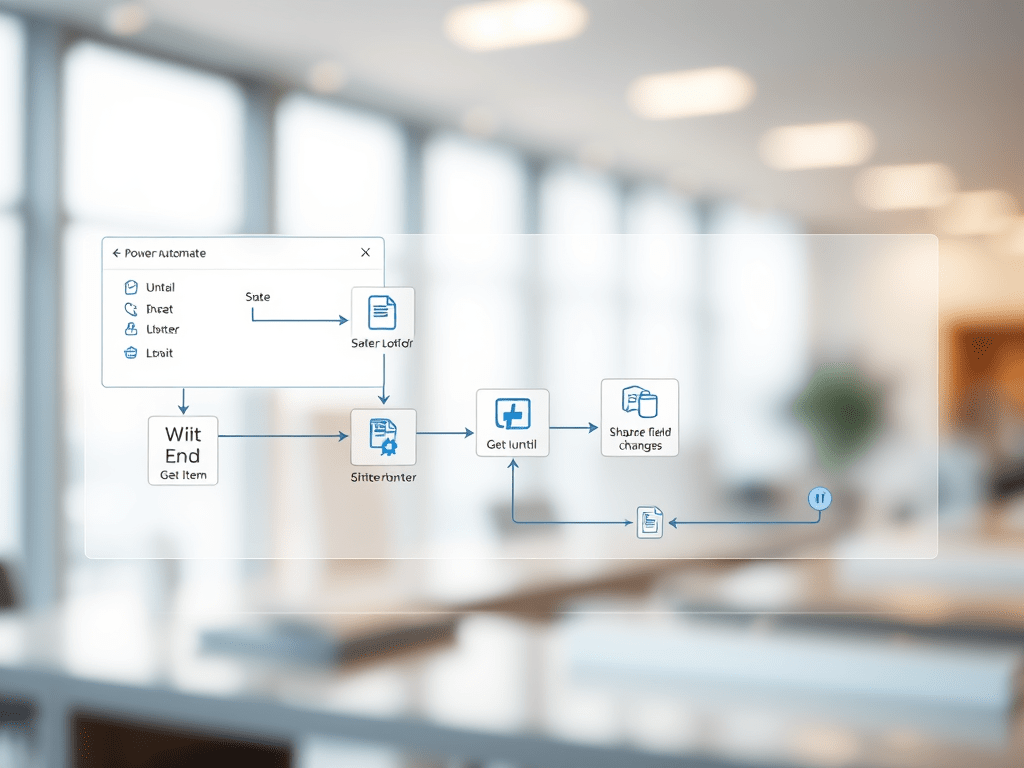
How to Wait Until a SharePoint Field Changes Its State
When automating SharePoint processes with Power Automate, it is common to encounter scenarios where a flow needs to pause until a specific field value changes — for example, waiting until a document is approved or a status column changes to… Continue reading
-
Power Automate and SharePoint: Why You Should Always Use “When an Item Is Created
When automating SharePoint processes with Power Automate, one of the most critical design decisions is which trigger to start your flow. Many users instinctively select “When an item is created or modified”, believing it offers flexibility — but in practice,… Continue reading
-
The Lifecycle of a SharePoint List Item in Power Automate — and How to Avoid Infinite Loops
This trigger is extremely powerful, but it also introduces a subtle and dangerous behavior: recursive updates — meaning that every time the flow updates the same item that triggered it, the flow fires again, leading to infinite loops or trigger… Continue reading
-
Exporting Power Automate Flows: Standard Packages vs. Solutions
Exporting Power Automate Flows: Standard Packages vs. Solutions 1. Introduction Power Automate allows two main approaches for exporting flows: Understanding the differences between these two methods is essential when building flows that need to be moved, reused, or maintained across… Continue reading
-
Editing Power Automate Export Packages
Exporting a flow in Power Automate generates a .zip package that contains the complete description of the flow. Unlike traditional code exports, this package is declarative: it is composed of structured JSON files that define the triggers, actions, connections, and… Continue reading

-
Automating SharePoint Subsite Provisioning with Site Designs and Power Automate
Managing collaboration spaces in SharePoint often requires creating multiple subsites with a consistent structure. Doing this manually is repetitive and error-prone. A more robust approach is to define a site template once, register it in the tenant, and then automate… Continue reading

-
Creating and Registering a SharePoint Site Template (Site Design)
Before automating the creation of subsites or sites in SharePoint Online, it’s necessary to have a template available. In the modern model, templates are based on Site Designs and Site Scripts. 🏗️ Creating and Registering a SharePoint Site Template (Site… Continue reading

-
Automating SharePoint Subsite Creation with Power Automate and REST API
Organizations often need to provision new SharePoint subsites in a consistent way. Instead of creating them manually, it is possible to automate the process using Power Automate combined with the SharePoint REST API. 🚀 Automating SharePoint Subsite Creation with Power… Continue reading

-
Building a Helper Method to Query List Items via REST API
When integrating applications with enterprise content platforms, it is common to query items in lists by a specific field value. Instead of retrieving all items and filtering locally, a more efficient approach is to call the platform’s REST API directly… Continue reading

-
Calling an Azure Function from Power Automate with the HTTP Connector
Integrating Azure Functions with Power Automate allows you to run serverless code in the cloud directly from automated workflows. 🔗 Calling an Azure Function from Power Automate with the HTTP Connector 1. Introduction Integrating Azure Functions with Power Automate allows… Continue reading
-
Calling an Azure Function from Power Automate with the HTTP Connector
Azure Functions allow you to host serverless code in the cloud. Power Automate provides workflows to automate business processes. Connecting both is powerful: you can trigger complex backend logic directly from a Flow. 🔗 Calling an Azure Function from Power… Continue reading

-
Building a 360° Video WebPart in SharePoint Online with A-Frame
Interactive 360° videos are increasingly popular for training, product demos, and immersive experiences. In this article, we will create a SharePoint Framework (SPFx) WebPart that uses A-Frame — a powerful WebXR framework — to embed 360° video playback directly inside… Continue reading
-
Building a Simple Analog Audio Amplifier
Building a Simple Analog Audio Amplifier Designing and building a simple analog audio amplifier is one of the best entry-level projects in electronics. The goal is to take a weak signal, such as from a microphone, a guitar pickup, or… Continue reading

-
Understanding ATX Power Supply Pinout and Specifications
The ATX (Advanced Technology eXtended) power supply standard, introduced by Intel in 1995, defines both the physical layout of power supplies and the electrical specifications required for personal computers. One of its most important aspects is the connector pinout, which… Continue reading

-
Understanding ATX Power Supply Pinout and Specifications
The ATX (Advanced Technology eXtended) power supply standard, originally developed by Intel in 1995, defines not only the form factor of PC power supplies but also the electrical characteristics and connector pinouts used to deliver stable power to computer components.… Continue reading

-
Using Calculated Fields with the SharePoint REST API
Calculated columns in SharePoint are extremely useful for deriving values from other fields (e.g., [StartDate] + 7 or concatenating text).When building custom integrations with the SharePoint REST API, developers often ask: can I query, filter, or update calculated fields?This article… Continue reading

-
Exporting Directory and File Listings to CSV in C#
When dealing with large directory structures, printing results to the console is not enough. Exporting the file tree to a CSV file allows you to analyze it in Excel, Power BI, or any reporting tool. Exporting Directory and File Listings… Continue reading

-
Recursive Directory and File Listing in C#
Sometimes you need more than just listing files and folders from a single directory. You may want to scan all subdirectories recursively and show the complete structure. In .NET, this can be done easily with the System.IO namespace. Recursive Directory… Continue reading

-
Listing Directories in C# Using System.IO
When working with file systems in .NET, one of the most common tasks is to list directories inside a given folder. The System.IO namespace provides everything you need to achieve this in a simple and reliable way. Listing Directories in… Continue reading
-
Part 5: Accessing Modular PnP Templates in Blob Storage via Power Automate
Great 👍 let’s continue the series with Part 5: using Power Automate to connect directly to Azure Blob Storage, so you can fetch, list, or download your modular PnP XML templates without involving the Function. So far: Now let’s integrate… Continue reading
-
Part 4: Using Managed Identity for SharePoint and Blob Storage in Azure Functions
So far in this series: Now let’s take the final step toward a cloud-native and secure architecture by replacing client secrets and hardcoded credentials with Managed Identity. Part 4: Using Managed Identity for SharePoint and Blob Storage in Azure Functions… Continue reading
-
Part 3: Storing SharePoint PnP Templates in Azure Blob Storage
In Part 1 we modularized PnP templates into multiple XML files.In Part 2 we wrapped the process in an Azure Function for automation. Now we’ll make the system cloud-native by replacing local storage (c:\pnp) with Azure Blob Storage. Part 3:… Continue reading

-
Automating Modular SharePoint Provisioning with Azure Functions
In the first part we saw how to export and import a SharePoint site template in a modular way using PnP Framework, splitting it into multiple XML files (Fields.xml, List_*.xml, Navigation.xml etc.). Now let’s see how to wrap this process… Continue reading
-
Modular Export and Import of SharePoint Templates with PnP
When working with SharePoint provisioning, exporting a site template often results in a large, monolithic XML file containing everything: lists, fields, navigation, pages, features, etc. Modular Export and Import of SharePoint Templates with PnP When working with SharePoint provisioning, exporting… Continue reading

-
Applying a PnP Provisioning Template from Local Disk to SharePoint Online (C#)
Provisioning templates are a powerful way to replicate SharePoint site structures. With the PnP Framework, you can capture a template from one site and reapply it to others. Applying a PnP Provisioning Template from Local Disk to SharePoint Online (C#)… Continue reading

-
Exporting SharePoint Templates with PnP Framework and MSAL (C# Console App)
In SharePoint Online projects, provisioning templates are a powerful way to capture site structures (lists, fields, content types, navigation, etc.) and reapply them to new sites. Exporting SharePoint Templates with PnP Framework and MSAL (C# Console App) In SharePoint Online… Continue reading

-
How to Create an Azure Function and Call It from Power Automate
When you need to integrate SharePoint, Power Automate, or other systems with small pieces of custom logic, Azure Functions are a perfect fit. They allow you to run lightweight code in the cloud, triggered by events such as HTTP requests.… Continue reading

-
From Console App to Azure Function: How to Expose Your Code to Power Automate
When you already have a C# console application that solves a problem, but you need to expose it to automation platforms like Power Automate, the best solution is to transform it into an Azure Function. With this approach, your existing… Continue reading

-
Accessing the TP-Link Tapo C40 Camera via RTSP with Authentication
Network cameras such as the TP-Link Tapo C40 are increasingly used for home surveillance, IoT integration, and edge AI processing. While the Tapo ecosystem provides a cloud-based mobile app, professionals and system integrators often need direct access to the video… Continue reading

-
Semiotics and Umberto Eco: Understanding the Science of Signs
Semiotics is the study of signs, symbols, and their role in communication. It provides a theoretical framework to analyze how meaning is produced, transmitted, and interpreted in different contexts—from literature and media to advertising, architecture, and digital technologies Semiotics and… Continue reading

-
Basic Statistics to Bayes: a really simple step-by-step (with SVG formulas)
Basic Statistics to Bayes: a really simple step-by-step (with SVG formulas) All mathematical expressions below are rendered as SVG images (via CodeCogs) so they work in any WordPress without plugins. Step 1 — Population, sample, and variable Population: the full… Continue reading

-
Estatística Básica até Bayes: um passo a passo realmente simples (com fórmulas em SVG)
Estatística Básica até Bayes: um passo a passo realmente simples (com fórmulas em SVG) Todas as expressões matemáticas abaixo são renderizadas como imagens SVG (via CodeCogs) para funcionar em qualquer WordPress sem plugins. Passo 1 — População, amostra e variável… Continue reading

-
Simple Bayesian Analysis — Technical Guide (SVG Equations)
Simple Bayesian Analysis — Technical Guide (SVG Equations) All mathematical expressions below are rendered as SVG images for perfect rendering in WordPress without plugins. The Core Idea Bayesian analysis updates a prior belief using new evidence to produce a posterior… Continue reading

-
📎 C# Console App: Attach a File to a SharePoint List Item via REST + MSAL (No SDK)
📎 C# Console App: Attach a File to a SharePoint List Item via REST + MSAL (No SDK) This guide walks you through building a .NET Console App that connects to SharePoint Online using MSAL (interactive authentication) and uploads a… Continue reading
-
C# Console App: Connect to SharePoint Online and Fetch List Item by Title Using MSAL + REST (No SDKs)
🔐 C# Console App: Connect to SharePoint Online and Fetch List Item by Title Using MSAL + REST (No SDKs) This guide walks you through building a .NET console app that: ✅ Authenticates with Azure AD (Entra ID) using MSAL… Continue reading

-
Connect & Query SharePoint Online from C# (.NET) with Interactive Login
Connect & Query SharePoint Online from C# (.NET) with Interactive Login — Get List Item by Title This post shows how to build a fresh, minimal .NET console app that: No SDK lock-in, no tenant names hardcoded. The scope is… Continue reading

-
Building a Minimal C# .NET Console App to Connect to SharePoint Online (Interactive Login + REST)
This article is your reusable base to start any SharePoint Online automation in C# with interactive MSAL authentication. It does one thing: sign you in and prove the connection by reading the site title via the SharePoint REST API. From… Continue reading
-
Authenticating to SharePoint Online Using MSAL and PnP.Core with Custom Token Injection
A complete guide on using Microsoft.Identity.Client (MSAL) with the PnP Core SDK, manually injecting tokens into SharePoint Online connections — all using clean dependency injection and external configurati 🔐 Authenticating to SharePoint Online Using MSAL and PnP.Core with Custom Token… Continue reading

-
Reading SharePoint Authentication Parameters from a JSON File in .NET with PnP Core SDK
📁 Reading SharePoint Authentication Parameters from a JSON File in .NET with PnP Core SDK Author: Edvaldo Guimarães\ Category: Microsoft 365 Development / C# / SharePoint\ Tags: .NET 6, PnP Core SDK, MSAL, SharePoint Online, Configuration 🧠 Introduction In this… Continue reading

-
🔧 Authenticating to SharePoint Online with PnP Core SDK and MSAL in .NET 6+
🔧 Authenticating to SharePoint Online with PnP Core SDK and MSAL in .NET 6+ Author: Edvaldo Guimarães\ Category: Microsoft 365 Development / C# / SharePoint\ Tags: .NET 6, PnP Core SDK, MSAL, SharePoint Online, Authentication 🧠 Introduction In this article,… Continue reading

-
🔐 Connecting to SharePoint Online Using PnP Core SDK and Interactive Login in .NET
🔐 Connecting to SharePoint Online Using PnP Core SDK and Interactive Login in .NET Author: Edvaldo Guimarães\ Category: Microsoft 365 Development / C# / SharePoint\ Tags: .NET 6, PnP Core SDK, MSAL, SharePoint Online, Authentication 🧠 Introduction In this article,… Continue reading

-
Building a Simple .NET Console App to List Recently Modified Files
In this article, we’ll walk through the creation of a simple yet practical .NET console application that lists all files modified in the last hour within a specified directory. This is a great starting point for developers who want to… Continue reading

-
Building a Simple C# CLI App to List Recently Updated Files
Introduction When you work with logs, documents, or any fast-changing directory, it’s often useful to quickly identify which files were updated in the last hour.Instead of manually sorting in Explorer, we can build a lightweight command-line app in C# that… Continue reading

-
How to Build an SPFx Web Part for 360° Image Viewing Using Photo Sphere Viewer v5
🌀 How to Build an SPFx Web Part for 360° Image Viewing Using Photo Sphere Viewer v5 In this tutorial, you’ll learn how to create a React-based SPFx Web Part that displays equirectangular 360° images in SharePoint Online using the… Continue reading

-
Como Criar uma Web Part SPFx para Visualização de Imagens 360° com Photo Sphere Viewer v5
Neste artigo, você aprenderá como criar uma Web Part SPFx com React para exibir imagens 360° equirectangulares em SharePoint Online, utilizando a biblioteca Photo Sphere Viewer (PSV) na versão v5+. 🌀 Como Criar uma Web Part SPFx para Visualização de… Continue reading

-
Hands-on: SPFx Web Part com Photo Sphere Viewer
1) Hands-on: SPFx Web Part com Photo Sphere Viewer Aqui vai um esqueleto mínimo de Web Part SPFx que integra o Photo Sphere Viewer (PSV) com o adaptador equiretangular e o plugin de marcadores. Passo 1 – Instalação No projeto… Continue reading

-
Photo Sphere Viewer (PSV) Deep-Dive: Building Production-Grade 360° Experiences on the Web
Photo Sphere Viewer (PSV) Deep-Dive: Building Production-Grade 360° Experiences on the Web Photo Sphere Viewer (PSV) is a modern JavaScript library for rendering 360°/VR panoramas and videos directly in the browser. It is powered by Three.js/WebGL, offers a clean plugin… Continue reading

-
Creating and Validating an Equirectangular 360° JPG/PNG
While the concept of equirectangular images is mathematical, in engineering and visualization projects the challenge is how to actually create, validate, and deploy them. Below is a structured workflow. Creating and Validating an Equirectangular 360° JPG/PNG While the concept of… Continue reading

-
Understanding Equirectangular 360° Images (JPG/PNG) in Engineering and Visualization
Understanding Equirectangular 360° Images (JPG/PNG) in Engineering and Visualization The rapid growth of immersive technologies has increased the demand for standardized image formats that allow 360° visualization in virtual environments. One of the most widely used formats is the equirectangular… Continue reading

-
The Future of PLM: Sustainability-Native, Cloud-Delivered, and Gen-AI Augmented
The Future of PLM: Sustainability-Native, Cloud-Delivered, and Gen-AI Augmented Product Lifecycle Management (PLM) is evolving from a CAD-centric data vault into a sustainability-aware, cloud-delivered, and AI-augmented orchestration layer that spans design, engineering, manufacturing, service, and end-of-life. Three shifts dominate roadmaps… Continue reading
-
Technical Comparison: ENOVIA vs Siemens Teamcenter vs PTC Windchill in PLM
Technical Comparison: ENOVIA vs Siemens Teamcenter vs PTC Windchill in PLM The PLM (Product Lifecycle Management) ecosystem is dominated by three major players: Dassault Systèmes ENOVIA, Siemens Teamcenter, and PTC Windchill. Each solution offers a different architectural approach, integration strategy,… Continue reading
-
Product Lifecycle Management (PLM) and the Role of Dassault Systèmes ENOVIA
Product Lifecycle Management (PLM) and the Role of Dassault Systèmes ENOVIA Product Lifecycle Management (PLM) is a discipline and software ecosystem that manages the entire lifecycle of a product—from conceptual design, through engineering, manufacturing, service, and disposal. Unlike traditional Product… Continue reading
-
Hybrid Workflow: Integrating 360° Imaging and LiDAR for Engineering Digital Twins
Hybrid Workflow: Integrating 360° Imaging and LiDAR for Engineering Digital Twins Digital twins in engineering are virtual replicas of physical assets, synchronized through data and continuously updated for lifecycle management. A robust digital twin must provide both geometric accuracy (for… Continue reading
-
360° Imaging vs LiDAR Scanning in Engineering Projects
360° Imaging vs LiDAR Scanning in Engineering Projects In engineering, accurate site representation is essential for design validation, progress monitoring, and lifecycle management. Two technologies dominate this space: 360-degree imaging and LiDAR (Light Detection and Ranging) scanning. While both capture… Continue reading

-
Applications of 360-Degree Images in Engineering: A Technical Analysis
Applications of 360-Degree Images in Engineering: A Technical Analysis 360-degree imaging has moved beyond consumer entertainment into critical engineering workflows. In modern infrastructure, construction, and industrial environments, these immersive images provide a cost-efficient, data-rich layer of context that can complement… Continue reading

-
Understanding 360-Degree Images: A Technical Introduction
Understanding 360-Degree Images: A Technical Introduction 360-degree images, also known as panoramic or immersive images, are a way of capturing and displaying a complete environment around a single point of view. Unlike traditional photography that captures a limited frame, a… Continue reading

-
Building a Power BI Dashboard for Brazilian Football: Starting with the Campeonato Paulista
Perfeito. Vou estruturar o primeiro artigo para o seu blog técnico com base no que já conversamos: introdução ao projeto, foco no Campeonato Paulista como fonte inicial de dados e primeiros passos no Power BI. Building a Power BI Dashboard… Continue reading

-
Technical Article: Why Leica Cameras Are Legendary
Technical Article: Why Leica Cameras Are Legendary Introduction Leica revolutionized photography by introducing the portable 35 mm camera in 1925. Since then, its mechanical precision, exceptional lenses, and minimalist philosophy have created a legacy that blends engineering, art, and tactile experience… Continue reading

-
Getting an Access Token for SharePoint Online Using MSAL in a Console App (.NET)
🔐 Getting an Access Token for SharePoint Online Using MSAL in a Console App (.NET) Modern authentication in Microsoft 365 revolves around secure, token-based flows. If you’re building tools or automations that connect to SharePoint Online, you’ll need to acquire… Continue reading

-
Clone SharePoint List and View with PnPjs: A Step-by-Step Guide
When working with SharePoint development scenarios—especially for automation or site provisioning—it is often necessary to replicate list structures and views. This article demonstrates how to extract the XML of an existing view in SharePoint and use PnPjs to recreate both… Continue reading

-
Setting Up PnPjs Context Accessors for SharePoint and Microsoft Graph in SPFx
Setting Up PnPjs Context Accessors for SharePoint and Microsoft Graph in SPFx This article provides a technical overview of how to create and manage context-aware singleton accessors for both SharePoint and Microsoft Graph using the PnPjs library in a SharePoint… Continue reading

-
Creating a Simple SharePoint List Item Creator
Creating a Simple SharePoint List Item Creator WebPart using SPFx, React, and PnPjs This article presents a technical walkthrough for building a SharePoint Framework (SPFx) WebPart using React and the PnPjs library to create list items in SharePoint. The WebPart… Continue reading
-
Enabling SSL/TLS Encryption for SQL Server in SharePoint Environments
Enabling SSL/TLS Encryption for SQL Server in SharePoint Environments Introduction In enterprise-grade SharePoint environments, securing the communication between SharePoint servers and SQL Server is paramount. By default, data exchanged between SQL Server and its clients is not encrypted, leaving it… Continue reading

-
Configuring SQL Server Ports for SharePoint: Firewall Rules and Best Practices
Configuring SQL Server Ports for SharePoint: Firewall Rules and Best Practices Introduction Microsoft SharePoint, whether deployed as a farm on-premises or in a hybrid setup, relies heavily on Microsoft SQL Server for its data storage and retrieval operations. SQL Server… Continue reading
-
Configuring SQL Server Port Access for SharePoint Environments: A Technical Guide
Configuring SQL Server Port Access for SharePoint Environments: A Technical Guide Introduction In a Microsoft SharePoint environment—whether on-premises or hybrid—Microsoft SQL Server plays a critical role as the data backbone. SharePoint stores its configuration, content, service applications, and search data… Continue reading
-
Advanced Governance in Microsoft 365: Combining Sensitivity Labels, Retention Policies, and Insider Risk Management
Advanced Governance in Microsoft 365: Combining Sensitivity Labels, Retention Policies, and Insider Risk Management As regulatory demands increase and insider threats become more sophisticated, organizations must move beyond basic data classification. Microsoft 365 provides an integrated suite of Information Governance,… Continue reading
-
Sensitivity Labels for Microsoft Teams and SharePoint: Site and Group Classification at Scale
Sensitivity Labels for Microsoft Teams and SharePoint: Site and Group Classification at Scale As collaboration expands across cloud-based environments, controlling access and applying consistent governance to Microsoft Teams and SharePoint Online has become a key aspect of enterprise security. With… Continue reading
-
Automating Data Classification: Sensitivity Labels with DLP in Microsoft 365
Automating Data Classification: Sensitivity Labels with DLP in Microsoft 365 As data volumes continue to grow, manual classification of sensitive content is no longer sufficient. Microsoft 365 offers auto-labeling capabilities integrated with Data Loss Prevention (DLP) to ensure that sensitive… Continue reading

-
Defining Sensitivity Labels in Microsoft 365: A Foundation for Robust Information Protection
Defining Sensitivity Labels in Microsoft 365: A Foundation for Robust Information Protection Information protection is at the core of any modern enterprise’s security strategy. As organizations face increasing regulatory requirements and evolving cyber threats, managing and securing data across various… Continue reading

-
Mastering Data Protection with Microsoft 365 Governance
Protecting Enterprise Data with Microsoft 365 Information Governance In today’s cloud-first, hybrid work environment, information governance and data protection are essential pillars of an organization’s compliance strategy. Microsoft 365 offers a comprehensive set of tools and services under its Microsoft… Continue reading

-
Packaging and Deploying a Custom Top Navigation Menu in SPFx
Packaging and Deploying a Custom Top Navigation Menu in SPFx This final part of our series walks through how to: Step 1: Create the TopMenu SharePoint List A. Create the list manually (GUI) Navigate to your site (e.g. https://sharepoint.com/sites/site) and:… Continue reading

 edvaldo b. guimarães filho